What Is an Online Screen Door Configurator?
An online screen door configurator is a web-based tool that lets you:
- Enter your door measurements (guided step-by-step)
- Select your door type (standard, French, sliding, RV, custom)
- Choose your options (mesh, frame color, features)
- See a visual preview of your configured screen
- Get an instant price quote (no waiting, no back-and-forth)
- Place your order directly from the configurator
Think of it like designing a custom product on a premium brand's website—except the product is made specifically for your door.
Why a Configurator Matters
The Old Way vs. The New Way
The old way:
- Find a product you like
- Hope they make your size (or close to it)
- Call or email for a quote
- Wait 1-3 business days for response
- Get a vague estimate
- Ask questions
- Wait more
- Get final price (different from estimate)
- Decide whether to buy
With online configurator:
- Go to the website
- Enter measurements: 2 minutes
- Choose options: 2 minutes
- See price: Instant
- Decide: Immediate
- Order: One-click (after account creation)
Time saved: Hours to days of back-and-forth.
The Transparency Advantage
The configurator shows you everything:
- Price by component
- Each option's cost
- Shipping to your location
- Total before you commit
No surprises. No bait-and-switch. Just honest information.
Step-by-Step: The Configurator Experience
Step 1: Getting Started
What you see:
- Welcome screen explaining the process
- "Start Your Custom Screen" or similar CTA button
- Brief overview of what you'll need (measurements)
What you need:
- Your door measurements
- Your door type
- Your preferred options
Time: 30 seconds
Step 2: Entering Measurements
What you see:
- Measurement input fields
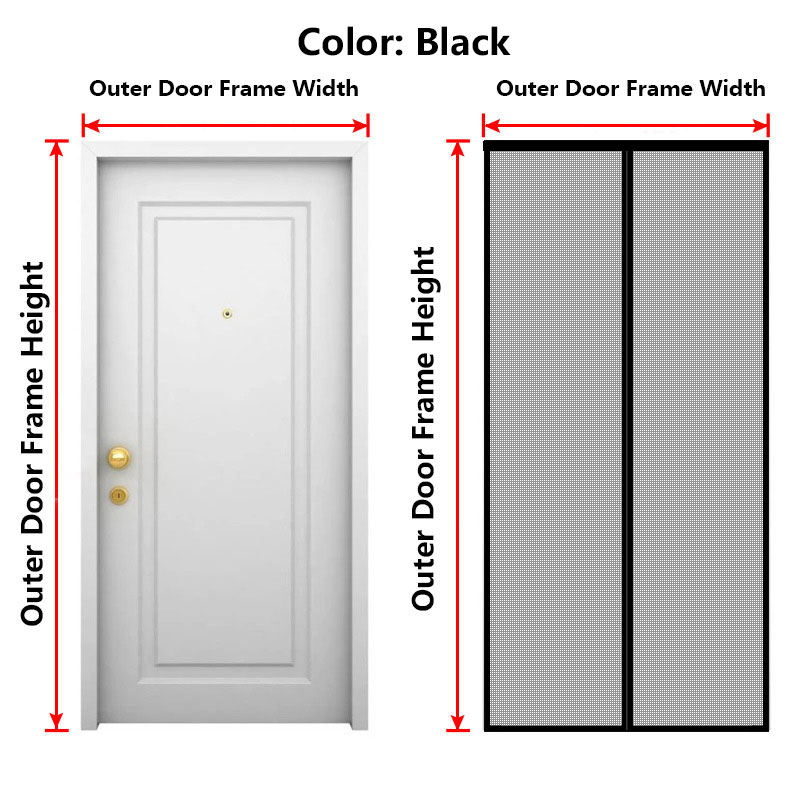
- Visual guides showing exactly where to measure
- Format options (inches, fractions, decimals)
- Door type selector
The measurement interface:
For width:
- "Top width" field
- "Middle width" field
- "Bottom width" field
- Helper text: "Use the smallest measurement"
For height:
- "Left height" field
- "Center height" field
- "Right height" field
- Helper text: "Use the smallest measurement"
For depth:
- "Frame depth" field
- Helper text: "Measure from front to back face"
Tips for this step:
- Have your measurements ready before starting
- Use the smallest number for each dimension
- The system accepts fractions (35 3/4") or decimals (35.75")
- Take your time—accurate measurements = perfect fit
Time: 3-5 minutes
Step 3: Selecting Door Type
What you see:
- Door type options:
- Standard single door
- French doors
- Sliding glass door
- RV/Camper door
- Custom shape (arched, circular, etc.)
What happens when you select:
Standard single door:
- Simple configuration
- Standard options shown
French doors:
- Additional fields for second panel
- Gap measurement between panels
- Two configurations (dual screens or single double-wide)
Sliding glass door:
- Fixed vs. sliding panel guidance
- Track clearance notes
- Configuration specific to sliders
RV/Camper:
- Extra fields for curved frame notes
- Additional guidance for non-standard shapes
Custom shape:
- Contact prompt (for complex shapes)
- Template upload option (if available)
- Photo upload for assistance
Time: 1-2 minutes
Step 4: Choosing Your Options
This is where you customize your magnetic screen door.
Mesh Selection:
Option A: Heavy Duty Fiberglass Mesh
- Description: "Durable and affordable. Great visibility."
- Best for: General use, moderate traffic, budget-conscious
- Price indicator: Base price
Option B: Heavy Duty Fiberglass Mesh
- Description: "Premium durability. Ideal for pets and high-traffic."
- Best for: Heavy use, pets, direct sun exposure
- Price indicator: +XX% from base
Option C: Pet Screen (if available)
- Description: "Maximum strength. Built for claws and paws."
- Best for: Large dogs, multiple pets
- Price indicator: +XX% from base
Frame Color:
Option A: White (minimalist white frame screen)
- Base price
- Clean, subtle look
Option B: Black (black magnetic screen frame)
- Premium price
- Modern, bold look
Option C: Bronze/Metallic
- Premium price
- Traditional, warm aesthetic
Closure Type:
Standard Wind-Resistant Magnetic Closure: Included
Enhanced Wind-Resistant: +$XX (for exposed locations)
Pet-Friendly Options:
Standard Configuration: Included
Reinforced Pet Package: +$XX (for pet households)
Tips for this step:
- Read descriptions carefully
- Consider your actual needs (don't overbuy)
- Note which options have price impacts
- Preview updates as you select
Time: 2-3 minutes
Step 5: Visual Preview
What you see:
- A visual representation of your configured screen
- Shows frame color, approximate appearance
- Updates in real-time as you change options
What the preview includes:
- Frame color visualization
- Mesh appearance
- Approximate look on a door (sometimes)
Limitations of preview:
- The preview is approximate (actual appearance may vary slightly)
- Very large or very small screens may not preview to scale
- Complex shapes may show simplified preview
Time: 30 seconds
Step 6: Instant Quote
What you see:
Price Breakdown:
- Base screen (XX sq ft @ $X/sq ft): $XXX
- Mesh upgrade: $XX
- Frame upgrade: $XX
- Closure upgrade: $XX
- Pet upgrade: $XX
- Subtotal: $XXX
Shipping:
- Shipping to [Your Location]: $XX
- OR: FREE Shipping (orders over $XX)
Estimated Tax:
- (If applicable based on location)
Estimated Total:
This is your complete quote. No hidden fees. No surprises at checkout.
Quote validity: Typically 30 days
Time: Instant
Step 7: Adding to Cart and Checkout
What you see:
- "Add to Cart" button
- Cart summary showing your configuration
- Option to save configuration or share link
- "Continue Shopping" or "Checkout" options
Checkout process:
- Create account or checkout as guest
- Enter shipping address
- Select payment method
- Review order
- Confirm and pay
Time: 5-10 minutes
Step 8: Order Confirmation
What you receive:
- Email confirmation with order number
- Configuration summary
- Estimated production time
- Estimated shipping time
- Tracking information (when shipped)
Production time: Typically 2-5 business days
Shipping time: Varies by location
Getting Help During Configuration
Help Options
If you're stuck during the configurator process:
On-screen help:
- Tooltips next to each field
- "Need help?" links
- Visual measurement guides
Contact support:
- Chat (if available)
- Email
- Phone
Knowledge base:
- FAQs
- Measurement guides
- Door type specific guides
- Video tutorials
When to Contact Support
Contact support if:
- Your door is a very unusual shape
- Measurements don't seem to work in the configurator
- You have questions about options
- Something isn't clear
- Technical issues with the configurator
Tips for First-Time Users
Before You Start
During Configuration
Common Mistakes to Avoid
- Entering the largest measurement instead of the smallest
- Selecting the wrong door type
- Skipping the mesh comparison (understand what you're choosing)
- Not reviewing the preview before proceeding
- Forgetting to factor in shipping cost
Mobile vs. Desktop
Mobile Experience
The configurator works on mobile devices:
- Responsive design adapts to phone screens
- Can enter measurements on your phone
- Preview updates on smaller screen
- Checkout works on mobile
Tip for mobile: It may be easier to take measurements first, then configure on desktop for the full preview experience.
Desktop Experience
Desktop offers:
- Larger preview visualization
- Easier measurement entry
- Better comparison of options
- More screen real estate for understanding
Tip: If possible, complete configuration on desktop, then checkout on mobile (or vice versa—whatever's more convenient).
After You Order
What Happens Next
- Order received: Confirmation email sent
- Production: Your screen is manufactured to your exact specifications (2-5 days)
- Quality check: Each screen inspected before shipping
- Packaging: Carefully packed for transit
- Shipping: Shipped to your address with tracking
- Delivery: Arrives at your door
Tracking Your Order
Most systems provide:
- Order status updates via email
- Tracking number when shipped
- Estimated delivery date
What If There's an Issue?
Contact support with:
- Order number
- Description of issue
- Photos (if applicable)
Common issues and resolutions:
- Missing items → Resend missing components
- Damaged in shipping → Replacement or refund
- Doesn't fit → Measurement review, replacement options
- Quality concerns → Investigation and resolution
Why the Configurator Experience Matters
Confidence in Your Purchase
The configurator builds confidence:
- You see exactly what you're getting
- You understand exactly what you're paying
- You can compare options before committing
- No pressure, no waiting, no uncertainty
Reduced Returns
Better information = better decisions:
- Accurate measurements mean correct sizing
- Clear options mean appropriate selection
- Transparent pricing means no buyer's remorse
- Result: <1% return rate for well-configured orders
Better Customer Experience
The configurator experience:
- Eliminates frustration of traditional ordering
- Empowers you to make informed decisions
- Saves time for both you and the company
- Creates a positive relationship from the start
Experience it yourself. Visit zoorscreen.com and use the online screen door configurator to design your custom magnetic screen door. Enter your dimensions, choose your options, see your price instantly, and order today.
 Measuring & Installation
 Measuring & Installation